Playing an escape room with friends at a distance is completely possible. There's nothing complicated about it: a few simple rules for gear and timing are enough. Here is the full guide, so you can avoid technical hiccups and frustration.
Why does a remote escape room work?
If you're new to the format, the remote escape room page explains the principle in two minutes. Here we get practical: the gear, the call, and the small habits that make a difference.
A remote escape room doesn't isolate each person in their own corner. Everyone plays at home, on their own screen, with the same video playing in sync, and keeps their phone for their own documents. Between players, a simple audio or video call is enough: WhatsApp, Discord, Messenger, Google Meet, it doesn't matter. You talk, you describe what you see, and you move forward together.
What makes it work is that each person gets clues on their phone that the others don't have. If one player holds a document and another holds the piece that makes sense of it, you really have to talk to move forward.
Distance means you have to communicate more, not less.
The gear to play remotely with friends
For each player, you need:
- A screen for the game: a computer, connected to the TV or not (HDMI cable or screen mirroring), or a phone mirrored to the TV. A TV's built-in browser often struggles with the 3D, so it's better to connect a computer or mirror a phone.
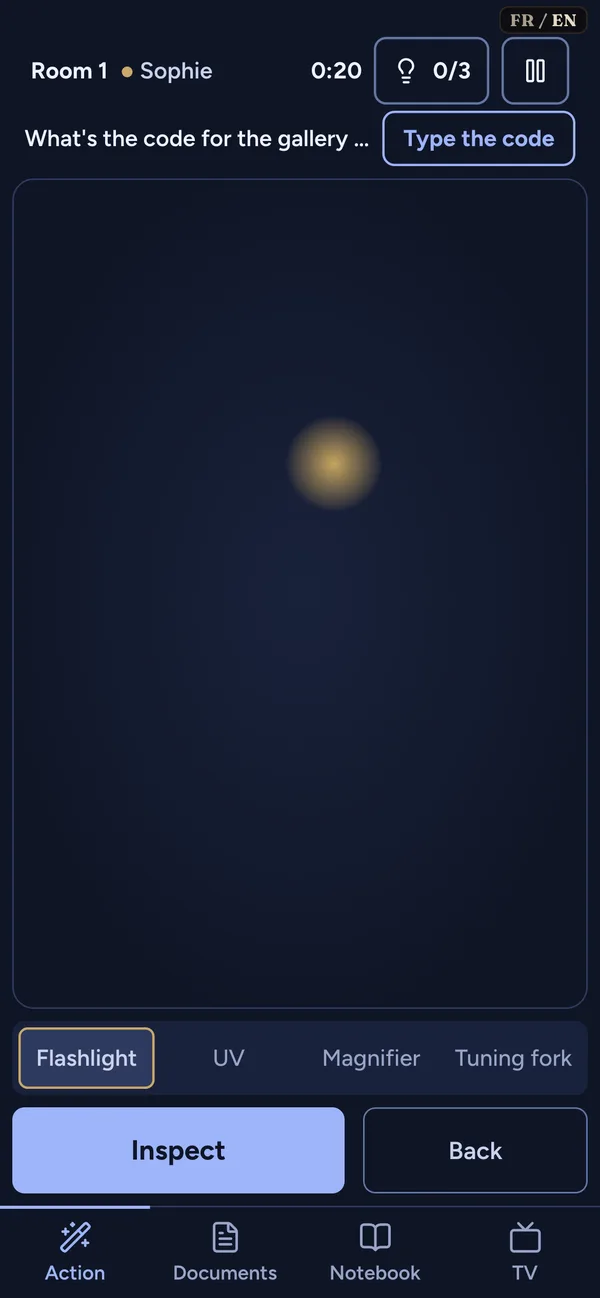
- A phone to join the game, receive your documents and act as a flashlight.
- A way to call your friends, on your phone or another device, ideally with headphones.
- A solid internet connection. A stable mobile connection can be enough.
Avoid sending the game's sound and the call through the same headphones. The video would drown out your friends' voices. Keep the game sound on the screen's speakers and the call in your headphones, or the other way around.
Which call app should you use?
Use whatever you already know. WhatsApp, Messenger, Discord, Google Meet, Zoom, it doesn't matter. There's no need to install a new app. With four people, video helps you see who's talking, but it uses more bandwidth. A plain audio call is often enough.
Tip: if the connection is shaky, turn off the cameras and keep only voices.
Four steps to start together
Before you begin, agree on the essentials.
- The person hosting creates the game in "remote" mode and tells the others before starting the story.
- Everyone joins the game before it begins, by scanning the QR code or typing the four-letter code. Roles are split, then everyone waits.
- When everyone has confirmed they're ready, the host starts the story. The video starts at the same time for everyone.
- After that, syncing happens on its own: there is nothing to adjust.
Communicating during the game
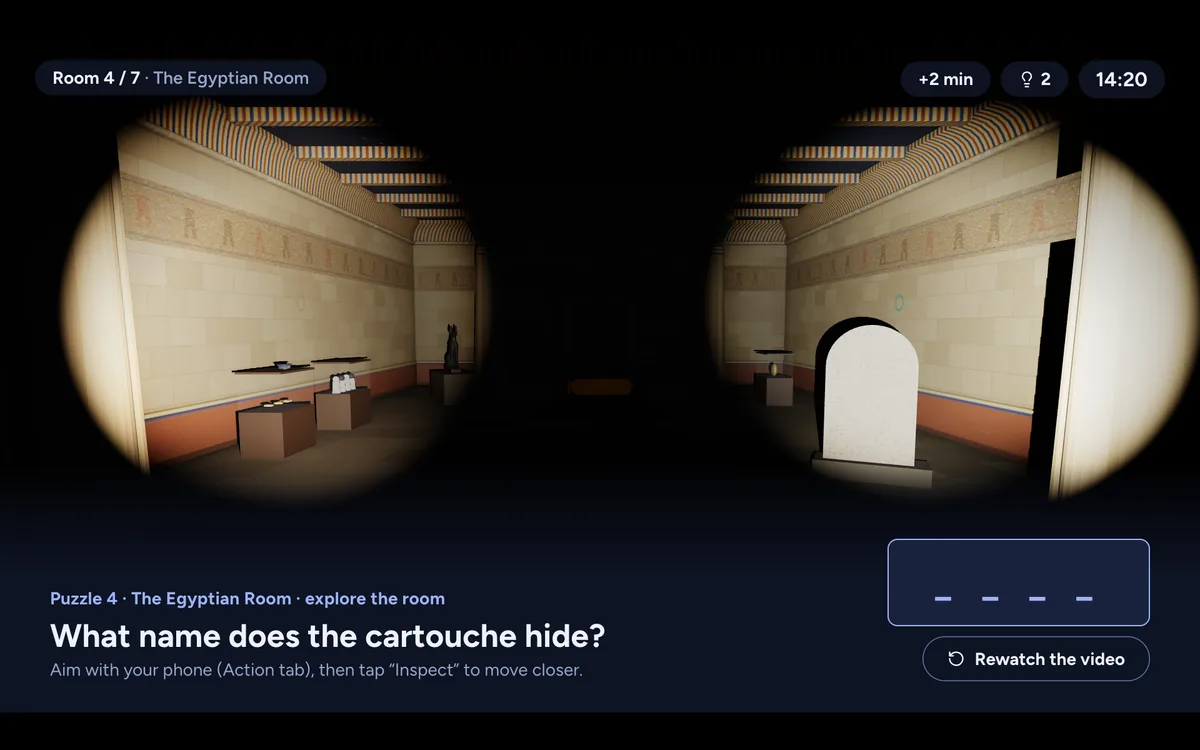
You're on a call with your friends, and everyone sees the same video on their screen. After each video, the game has you explore a room in 3D. You describe what you see, and your friends do the same.
When someone gets a document on their phone, they read it out loud or describe it. The others share their thoughts, and then you test a code together.
It's almost like everyone is in the same living room, except that everything goes through your voices.
A few simple habits help a lot. Say your name before you speak when there are more than two of you. Describe exactly where something is ("bottom left, under the painting"). Name one person to note the codes and leads as you go. And when a lead goes nowhere, say so clearly, so nobody keeps digging in the wrong place.
An important rule: the documents you receive on your phone are visible only to you, until you describe them or show them to everyone. That isn't a flaw, it's the principle. Talking replaces the shared view.
Common problems and how to avoid them
Someone's video is lagging. Most of the time, it's their connection. Ask them to refresh the page before starting. If a slight delay persists, wait until they've seen the scene before you test a code.
The game sound drowns out the voices. Turn the game volume down, or switch to headphones set so you can hear your friends clearly. You can also mute the game for a few seconds to talk without raising your voice.
Someone didn't quite understand their role. No problem. The roles (the Archivist, the Egyptologist, the Technician, the Musician) are there to split the clues. It's intentional that nobody has all the information. Just remind them they have documents on their phone that the others don't, and that they need to share them.
Someone's connection drops. If the outage lasts, pause the game and resume once everyone is back. The game is saved for thirty days.
What we saw in testing. In mid-October 2026, during our first test sessions, three teams of two finished After Hours at the Museum in 1 hour 25 minutes, 1 hour 40 minutes and 2 hours 24 minutes, asking for between 4 and 9 hints. At a distance, a phone can act as the controller while the computer shows the room in large format. See also our ideas for a virtual happy hour and remote team building.
Timing: plan for it
A remote escape room lasts about 1.5 hours without a break. There will probably be some chatter, a coffee to fetch, a strategy to rethink. Plan two hours so you can relax, and ask everyone to block that slot in their calendar.
If someone has to step away, that's fine: pause the game and resume when they're back, within thirty days.
After the game: scores and leaderboard
At the end, the team sees its time and can place itself on the team leaderboard.
It's often the moment to say "rematch?" or "next time, let's try the Curator level." The mood stays relaxed and playful.
A simpler option than a room when you live far away
A physical escape room means everyone has to travel. The trip can be long and expensive. At a distance, everyone plays from home: you keep the connection with friends who live far away without losing time on the road.
The dynamic changes too. You really talk to each other, instead of searching separately in the same room. The game becomes more of a shared experience.
What you can't do online
You can't touch physical objects. The puzzles are visual and mental, not tactile. You also can't point at a detail on your neighbor's screen: you have to describe it in words. That isn't a flaw, it's just a different way to play. Physical rooms make you work with your hands; at a distance, you mostly work with your head.
How to prepare before you start
Test your connection the day before. You don't need a detailed test: play a YouTube video in high quality and check that it runs smoothly.
Do a trial call with your friends before the big day. A technical problem you discover in the middle of a game is frustrating.
Read how it works to know what to expect. In a few minutes of reading, everyone will understand the principle.
For technical questions (browser, connection and so on), check our FAQ, which covers the most common cases.
When a remote escape room is really worth it
A remote escape room shines in three situations. First, when your friends are far away: across the country, abroad, or simply too far for an evening in a venue. You share an activity without travel costs or logistics.
Second, when you're organizing at the last minute: a weeknight, an unexpected Sunday afternoon. No booking, no fixed time, and a game that starts in a few minutes.
Third, when you're bringing together people who don't know each other well. A remote escape room forces you to really talk. Awkward silences are rare, because everyone is busy solving the same puzzle. It's a great icebreaker for a new team or a mixed group.
If you enjoy a two-player experience, read our guide to escape rooms for two. For a work activity, see our remote team building page.
A remote escape room is a real alternative to physical rooms when your group is spread out. It's relaxed, affordable, and it pushes everyone to communicate better. Your turn to play.